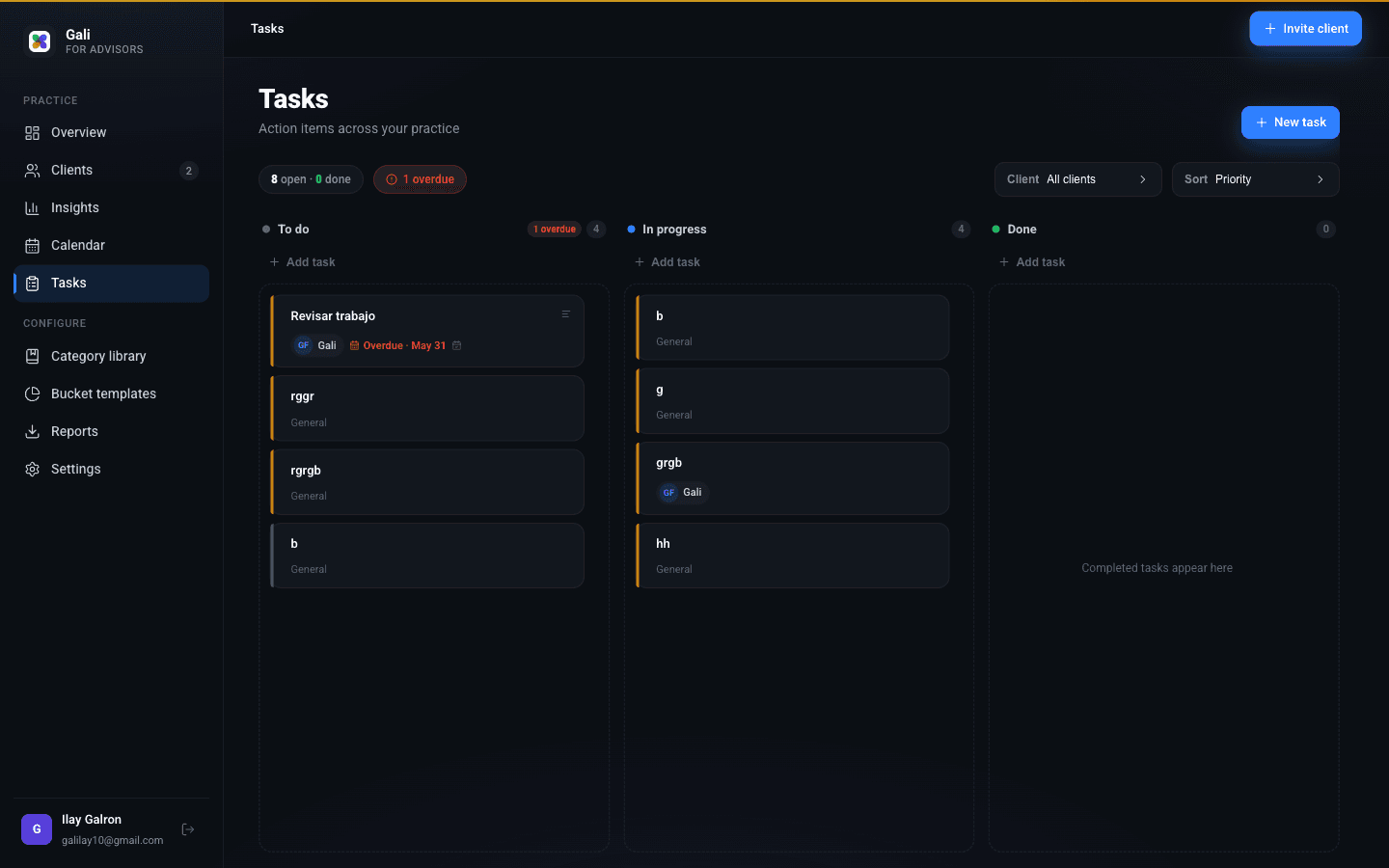
Action items across your whole book.
Tasks
The board
Nothing slips when everything's on the board
"Send the projection." "Follow up on the rollover." The small commitments are where trust is won or lost.
Gali keeps them on a simple board you actually look at — sorted by what is urgent.
What you can do
Move work, not paper
✓
Three clear columns
To do, In progress and Done — drag a task to change its status.
✓
Priority & due dates
Flag what is high priority and see what is overdue or due today.
✓
Linked to clients
Attach a task to a client so it shows up where it matters.
✓
Sort your way
By priority, due date or alphabetically — whatever fits your workflow.
SEE IT IN ACTION
The real dashboard, annotated
advisors.gali-app.com